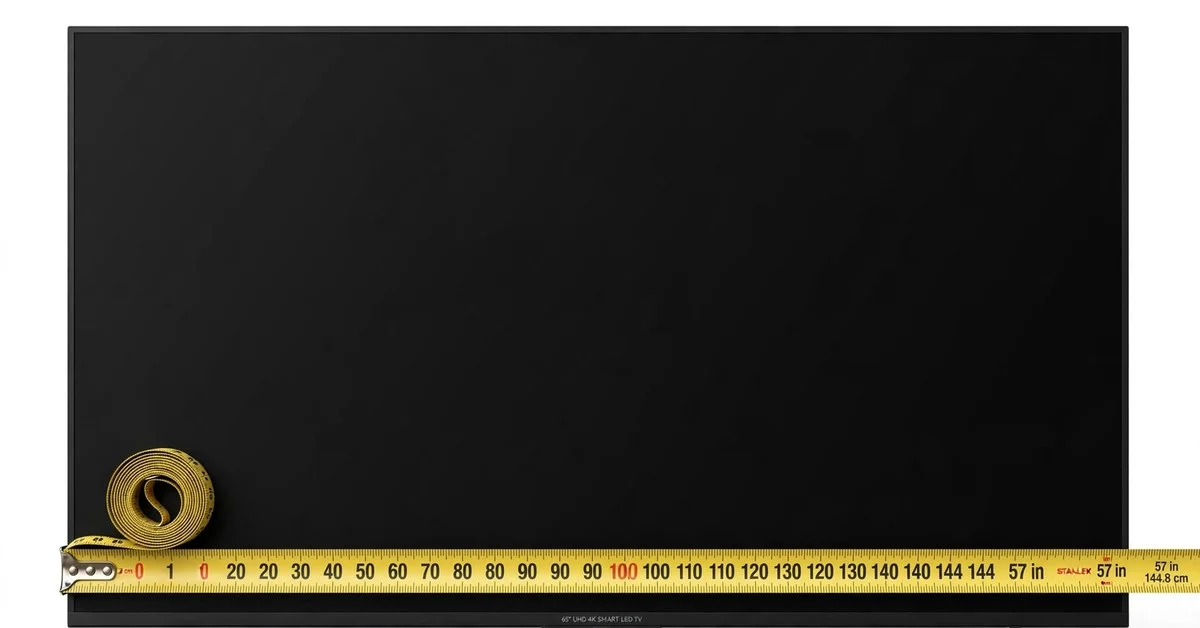
Every week, somewhere in America, a 65-inch TV ends up in one of two sad situations: hanging slightly crooked from a drywall anchor that was never meant to hold 50 pounds, or perched on a media console so narrow that the screen’s feet dangle past the edges like a tall man in a short bed. Both disasters share a single cause — the buyer fell in love with the picture and skipped the measuring. A 65-inch TV is about 56.7 inches wide and 31.9 inches tall, with the 65 inches referring to the diagonal. That width, nearly five feet, is where the 65 separates from smaller TVs: it no longer fits “whatever stand you already own,” and it no longer mounts with “whatever bracket was on sale.” This is the size where a tape measure becomes mandatory equipment. Before you spend the money, here is the full engineering picture — the exact dimensions, the wall-mount math that keeps it safely on the wall, fifteen everyday objects that match its scale, and an honest assessment of whether your room is actually ready for it.
The raw measurements
| Measurement | Inches | Centimeters |
|---|---|---|
| Diagonal (the advertised size) | 65 | 165.1 |
| Screen width | ≈ 56.7 | ≈ 143.9 |
| Screen height | ≈ 31.9 | ≈ 80.9 |
| Total width with bezel (typical) | ≈ 58–59 | ≈ 147–150 |
| Diagonal in feet | ≈ 5.42 | — |
Two numbers deserve your attention. First, the width: 56.7 inches of picture, 58 to 59 inches once you count the frame. That is the number your stand and your wall have to accommodate, not the 65. Second, the weight: most 65-inch LED TVs weigh 45 to 55 pounds with the stand removed, and the weight sits far from the wall on a tilting mount, which multiplies the leverage on the anchors. A mount rated for “up to 65 inches” means nothing if it is only rated for 40 pounds — always check the weight rating, and always check the VESA pattern, the square arrangement of bolt holes on the TV’s back. Most 65-inch models use a 400×400mm VESA pattern (about 15.75 inches square), though some use 300×300mm. The mount must match the pattern exactly.
Wall-mount math: studs, VESA, and the stand question
This is the section that saves walls. American wall framing puts studs 16 inches apart, center to center. Your 65-inch TV is about 57 to 59 inches wide, which means a centered mount will span roughly three to four studs — plenty of anchoring if you actually hit them. The classic failure is mounting the bracket’s center on a single stud and letting the ends float on drywall anchors, or worse, using only drywall anchors because “the kit came with them.” A 50-pound TV on a full-motion arm can exert well over 100 pounds of pull force on the top bolts when extended. Drywall anchors are rated for shear, not for that kind of leverage. Use lag bolts into at least two studs, three if your bracket allows it.
Here is the measuring routine, in order. First, find the studs with a stud finder and mark their centers with painter’s tape — do this before the TV arrives, while the wall is empty. Second, decide the mount type: a fixed low-profile mount holds the TV about an inch off the wall and is the safest choice for most people; a tilting mount adds a few inches of depth but lets you angle the screen down if it sits above eye level; a full-motion arm looks impressive but concentrates enormous force on the bracket and needs the most solid stud anchoring. Third, set the height: the center of the screen should land at seated eye level, 40 to 45 inches off the floor, which puts the bottom edge of a 65-inch screen around 24 to 29 inches up. Mark that rectangle on the wall with tape and live with it for a day — the number-one regret is mounting too high.
Then there is the stand question. If you are not wall-mounting, the TV’s feet need a surface to stand on. Most 65-inch models ship with two feet positioned near the screen’s edges, typically spanning 45 to 55 inches apart — check your model’s specs, because this varies more than buyers expect. Your console should be at least as wide as the foot span, ideally a few inches wider on each side. A 60-inch console is the practical minimum; a 65-to-72-inch console looks proportional and leaves room for a soundbar and a console. And do not forget depth: the feet need about 10 to 12 inches of depth, and the console should sit against the wall so a bumped screen cannot tip backward. If your current stand is 48 or 50 inches wide, budget for a new one — the 65 will overhang it, and an overhanging 50-pound screen is an accident waiting for a toddler or a dog.
Fifteen real-world size anchors
The 65’s scale is hard to feel from a spec sheet. These fifteen objects — each within a few inches of the 65-inch diagonal or the 56.7-inch width — make it physical.
- A 65-inch-tall cat tree. The big multi-level cat towers sold for large cats stand about 60 to 68 inches tall, with 65 a common figure. If one lives in your living room, its height is the TV’s diagonal — a delightfully absurd but accurate gauge.
- A 62-inch golf umbrella. Full-size golf umbrellas are sold by arc, and 62 inches is the standard. Three inches short of the diagonal, the umbrella’s span is a portable, rain-tested measuring stick you might already own.
- A 66-inch armoire. The classic standalone wardrobe runs about 66 inches tall — one inch past the diagonal. Its tall, boxy presence also conveys the TV’s visual weight better than any slim object can.
- A 60-inch conference table. Small office conference tables are commonly 60 by 30 inches. Five inches short of the diagonal, the table’s length is a familiar office anchor — and a reminder that the TV’s diagonal is longer than the table your meetings happen around.
- A 60-inch rolling kitchen island. The freestanding islands and carts sold for extra kitchen prep space commonly run 48 to 60 inches long, with 60 the generous size — five inches short of the diagonal. A working kitchen object that nails the number.
- An extra-extra-large 64-inch dog crate. The giant crates made for the largest breeds run about 64 inches long — one inch shy of the diagonal. The size is printed on the packaging, so it is exact, and the long rectangle mirrors a screen’s shape.
- A 65-inch media console. Consoles built specifically for 65-inch TVs run 60 to 72 inches wide, with 65 a sweet spot. This is the cheat code: the furniture designed for the TV is, by definition, the TV’s width. Stand in front of one in a store and you are looking at the screen’s footprint.
- A 64-inch arc floor lamp. Arc lamps that curve over a couch stand about 60 to 66 inches tall, with 64 typical — one inch under the diagonal. Since it probably already lives in your viewing room, it is the rare gauge that requires zero imagination.
- A 58-inch tallboy dresser. Tall, narrow dressers run about 54 to 60 inches high, with 58 common — within an inch of the screen’s 56.7-inch width. Tip that height on its side and you have the picture’s width.
- A 60-inch electric fireplace. Wall-mounted electric fireplaces are commonly 50 to 60 inches wide. Five inches short of the diagonal, it is a fitting comparison — the two often compete for the same wall.
- A 66-inch artificial ficus tree. The lifelike indoor ficus trees sold for offices and living rooms stand about 66 inches tall — one inch past the diagonal. A green, leafy, utterly un-TV-like object that nails the number.
- A 60-inch commercial prep table. The stainless steel tables in restaurant kitchens are standard at 60 by 30 inches. Five inches under the diagonal, it is a precise, no-nonsense gauge — kitchens do not deal in approximations.
- A 60-inch-tall bookcase. Five-shelf bookcases commonly stand 60 to 72 inches tall, with 60 a popular height. Five inches short of the diagonal, the bookcase is a slightly conservative vertical gauge already standing in millions of homes.
- A 64-inch pickup truck toolbox. The crossover toolboxes that sit behind a pickup’s cab run 60 to 70 inches wide, with 64 common — one inch under the diagonal. A rugged, working-class measuring stick.
- A 64-inch cheval mirror. Full-length standing mirrors run about 60 to 66 inches tall, with 64 typical — one inch shy of the diagonal. Stand in front of yours: the mirror’s height is the TV’s diagonal, and you can see yourself realizing how big that is.
When the 65 is too much TV
Honesty matters here, because the 65 is the size where buyers most often overshoot. The room has to earn it. The viewing-distance math says a 65-inch screen wants 8 to 10 feet between eyes and screen — 8.3 feet at the cinematic end, about 10 feet at the relaxed end. If your couch sits 7 feet from the wall, the 65 will feel imposing rather than immersive, and a 55 will actually give you the better experience. Measure the real distance, from seated eye position to the screen plane, before you decide.
The wall has to earn it too. A 65 needs roughly 59 inches of clear width, plus visual breathing room — mounting a 59-inch screen on a 62-inch wall section looks cramped and dominates the room. As a rule of thumb, the TV should occupy no more than about two-thirds of the wall’s width. And the delivery path has to earn it: the box for a 65-inch TV is roughly 62 by 38 inches and awkward to maneuver. Measure doorways, hallway turns, and stairwells before delivery day. Compared to its neighbors, the 65 is nine inches wider than a 55 — a genuine step up you feel immediately — and nine inches narrower than a 75, which is a whole different furniture commitment. The 65 is the largest TV that still fits a normal American living room without the room having to change around it. If your room cannot give it 8 feet of distance and 60 inches of wall, it is telling you to buy the 55.
Mounting and placement questions, answered
Can I mount a 65-inch TV on drywall without hitting a stud?
You should not. A 65-inch TV weighs 45 to 55 pounds, and on a tilting or full-motion mount the leverage multiplies the force on the top anchors far beyond the TV’s weight. Heavy-duty toggle bolts in drywall are rated for static shear loads, not for a dynamic load cantilevered inches off the wall. Anchor into at least two studs with lag bolts. If your ideal centered position falls between studs, use a mount with a wide wall plate that reaches the studs on either side, or mount a plywood backer board across three studs and attach the bracket to that.
How wide a stand do I need for a 65-inch TV?
At least 60 inches wide, and 65 to 72 inches is ideal. The critical spec is not the screen width but the foot span — the distance between the TV’s two feet — which typically runs 45 to 55 inches on 65-inch models. Check the manual for your exact model. The stand should be wider than the foot span with a few inches of margin on each side, and at least 12 inches deep. A stand narrower than the feet is unstable and looks wrong; this is the most common 65-inch setup mistake.
What is the VESA pattern on a 65-inch TV?
Most commonly 400×400mm, though some models use 300×300mm or 400×200mm. The pattern is the square (or rectangle) of threaded mounting holes on the TV’s back, measured in millimeters. Your mount must list your exact pattern as supported, and its weight rating must exceed your TV’s weight with margin — look for at least 75 to 80 pounds of rating for a 50-pound TV. When in doubt, the TV manufacturer’s spec page lists both the VESA pattern and the weight without stand.
How far should the couch sit from a 65-inch TV?
About 8 to 10 feet for the best experience. At 8.3 feet the screen fills a cinematic 36-degree field of view; at 10 feet it fills a relaxed 30 degrees. Closer than 8 feet, the screen starts to dominate your peripheral vision and you will find yourself turning your head during action scenes. Farther than about 12 feet, you lose the detail that 4K resolution provides, and the 65 starts to feel like an expensive 55.
Will a 65-inch TV fit in my car?
Probably not upright, and you should never transport a TV face-down flat if you can avoid it — the panel can flex and crack under its own weight. The box is roughly 62 by 38 by 8 inches. It fits in most SUVs and crossovers with the seats folded if you keep it upright and padded, but measure your cargo area first. When in doubt, pay for delivery: a cracked panel from a car ride home is the most expensive “savings” in TV buying.
See also: how big a 55 inch TV is.
See also: how big a 50 inch TV is.
Measure the wall, then buy the TV
The 65-inch TV rewards preparation and punishes impulse. Its 56.7-inch width and 50-pound heft cross the line where “eyeballing it” stops working: the studs have to be found, the VESA pattern has to match, the stand has to be wide enough, and the couch has to sit eight to ten feet back. Do that homework and the 65 is magnificent — the size where a living room genuinely starts to feel like a theater, where sports feel present and movies feel enveloping. Skip the homework and you get the crooked mount, the dangling feet, or the screen that overwhelms the room. The order of operations is simple and non-negotiable: tape the outline on the wall, find the studs, measure the couch distance, check the stand. Then buy the TV. Your wall will thank you.

I’m Owen Reeves, a content writer at MeasureZit.com, specializing in measurements, unit conversions, and mathematical concepts. I turn technical topics into clear, accurate content that’s easy to understand. My focus is precision, clarity, and genuinely useful information.